It’s been 8 years since we redesigned the Shopping Cart last time. During these years, we kept adding different new features, making minor changes, or updating the backend logics. I felt that the cart was really in a mess and the look and feel was out dated, too. Therefore, I proposed to the top management team to revamp the page and added some functions to simplify the shopping flow and reduced the abandon rate.
The Challenge
- Removed the shipping groups from Shopping Cart step to let the customers focus on the products instead of shipping.
- Added the promo code section which consolidated all the promo code from either email promotion, site wide discount, or account specific benefits. Customers can compare and select one with the most discount.
- Provided similar products options when an item is unavailable.
- Restructured combo groups.
- Created “Save for Later” section.
My Role
I was the sole designer of this project.
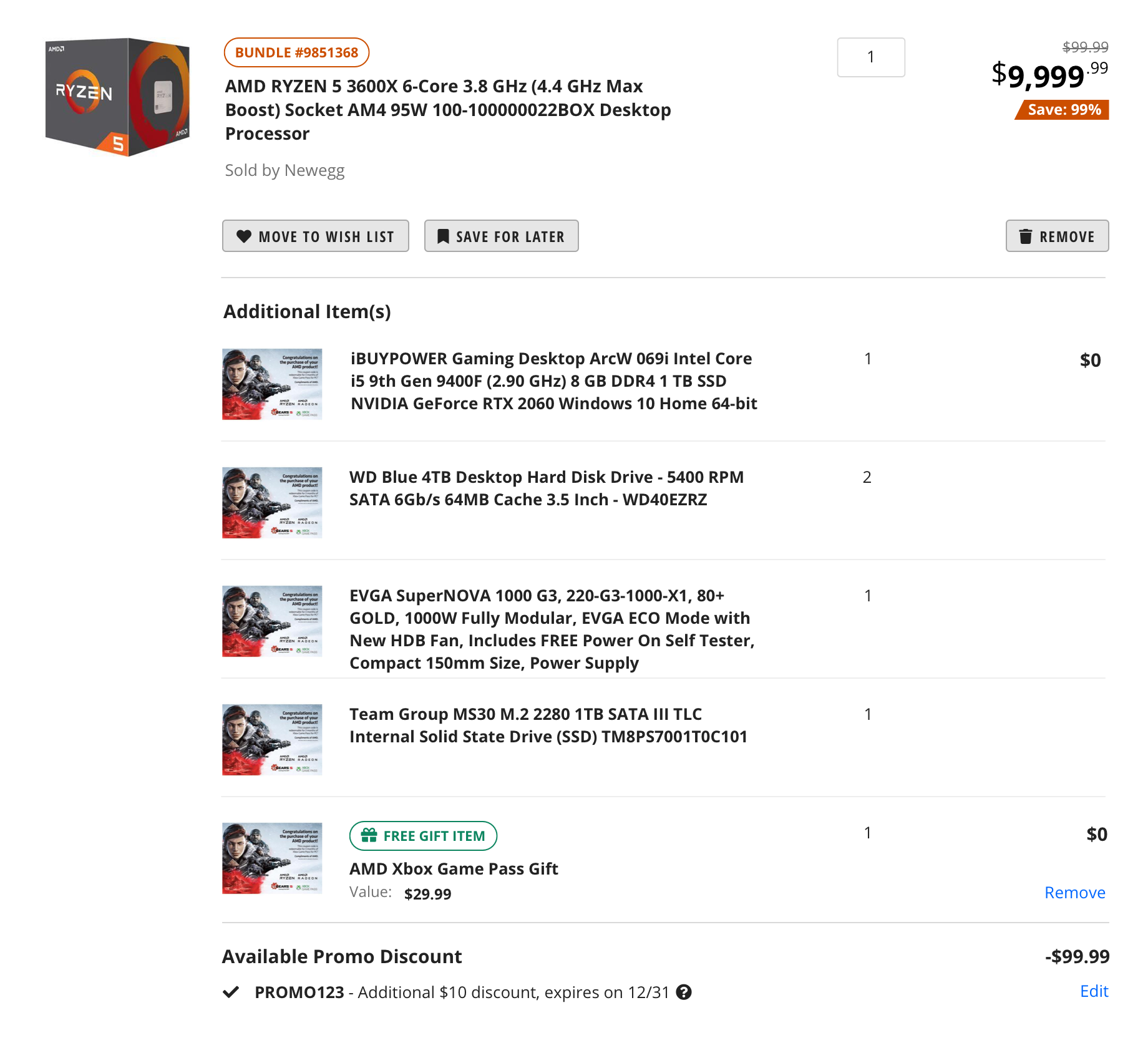
Combo Item Group
This module shows a main item and the products that are attached to it. It’s usually used for DIY PC Builds or promotional items.
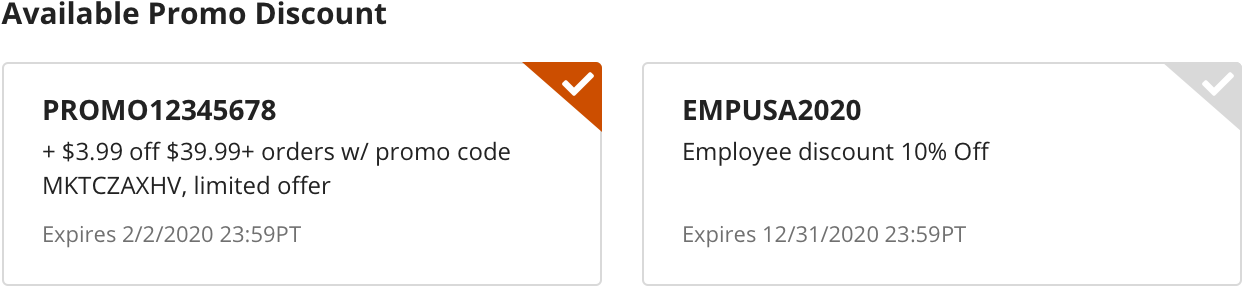
Available Promo Code
This feature gathers all the promo code that is tight to the item. Customers do not need to search the code. All they need to do is to choose the one that will bring the most discount to them.
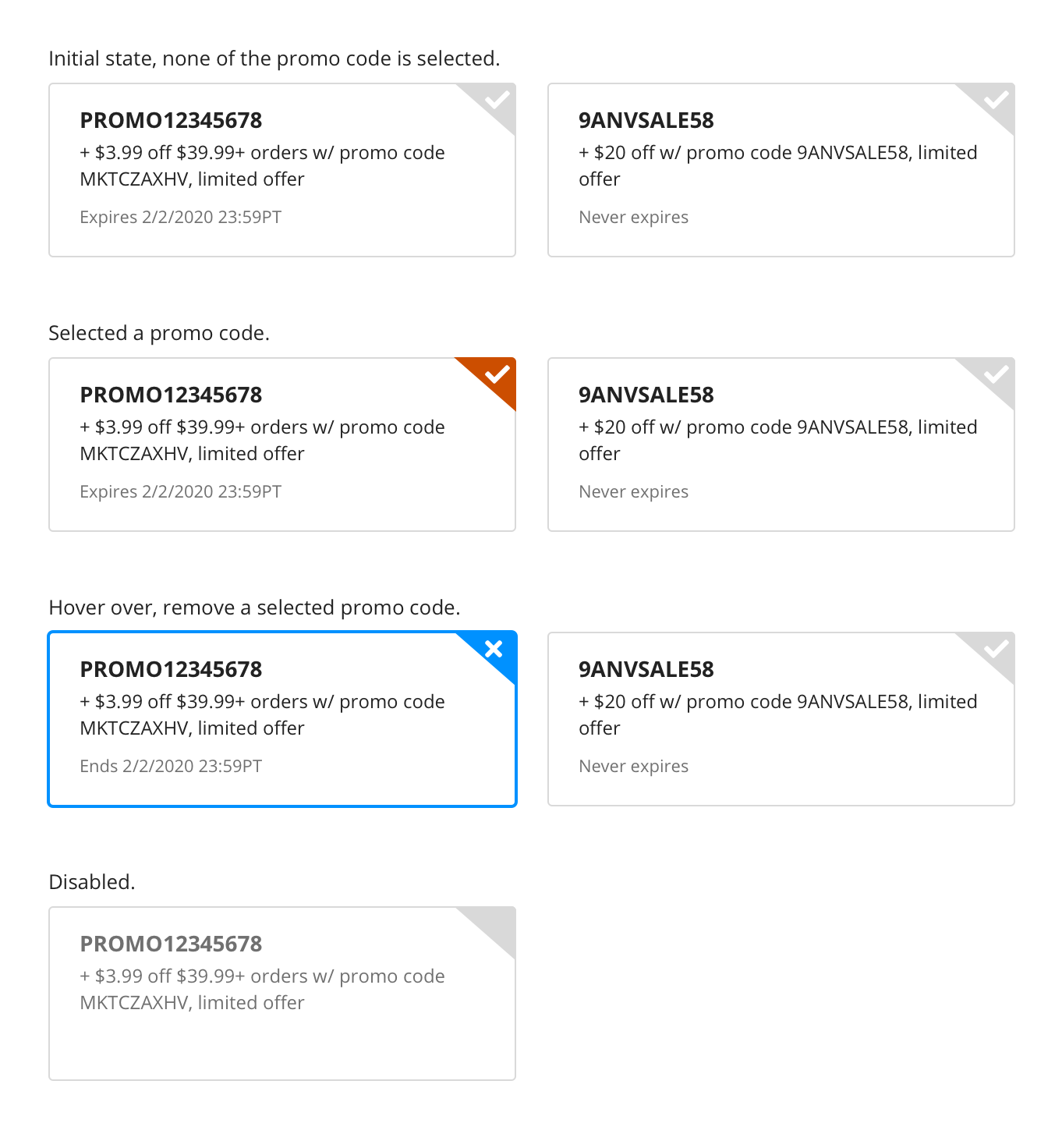
Promo Code Different States
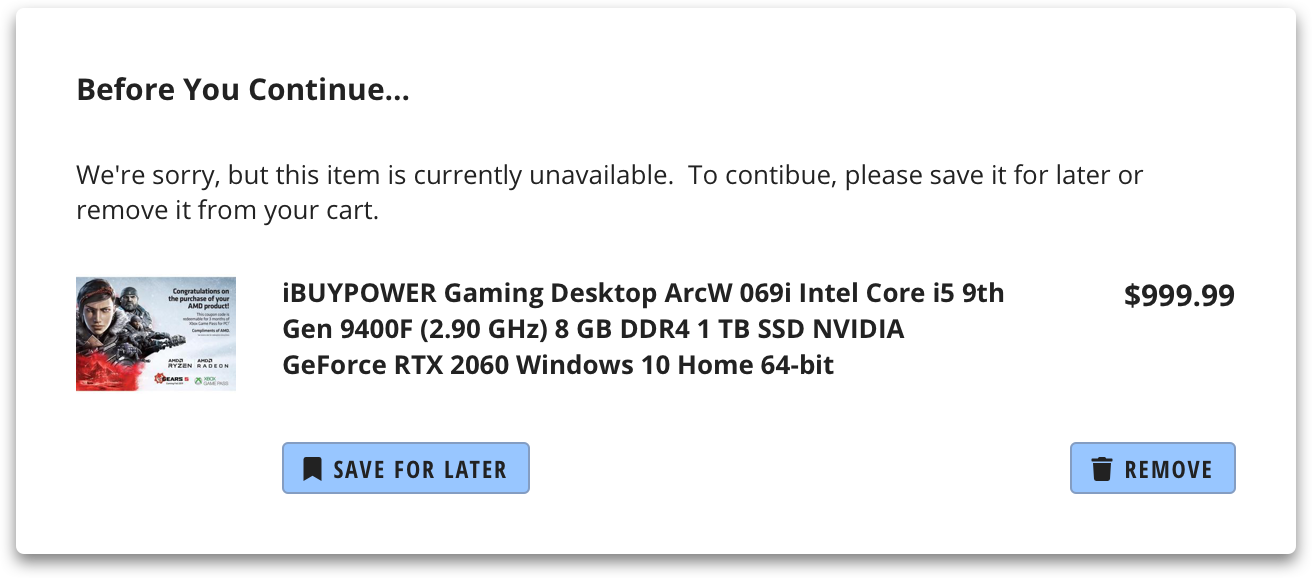
Product Unavailable Step 1
You will see this popup window when there’s any item that is in your cart is unavailable. This popup window provides you the choice of moving it to the Save for Later section, or removing it from your cart.
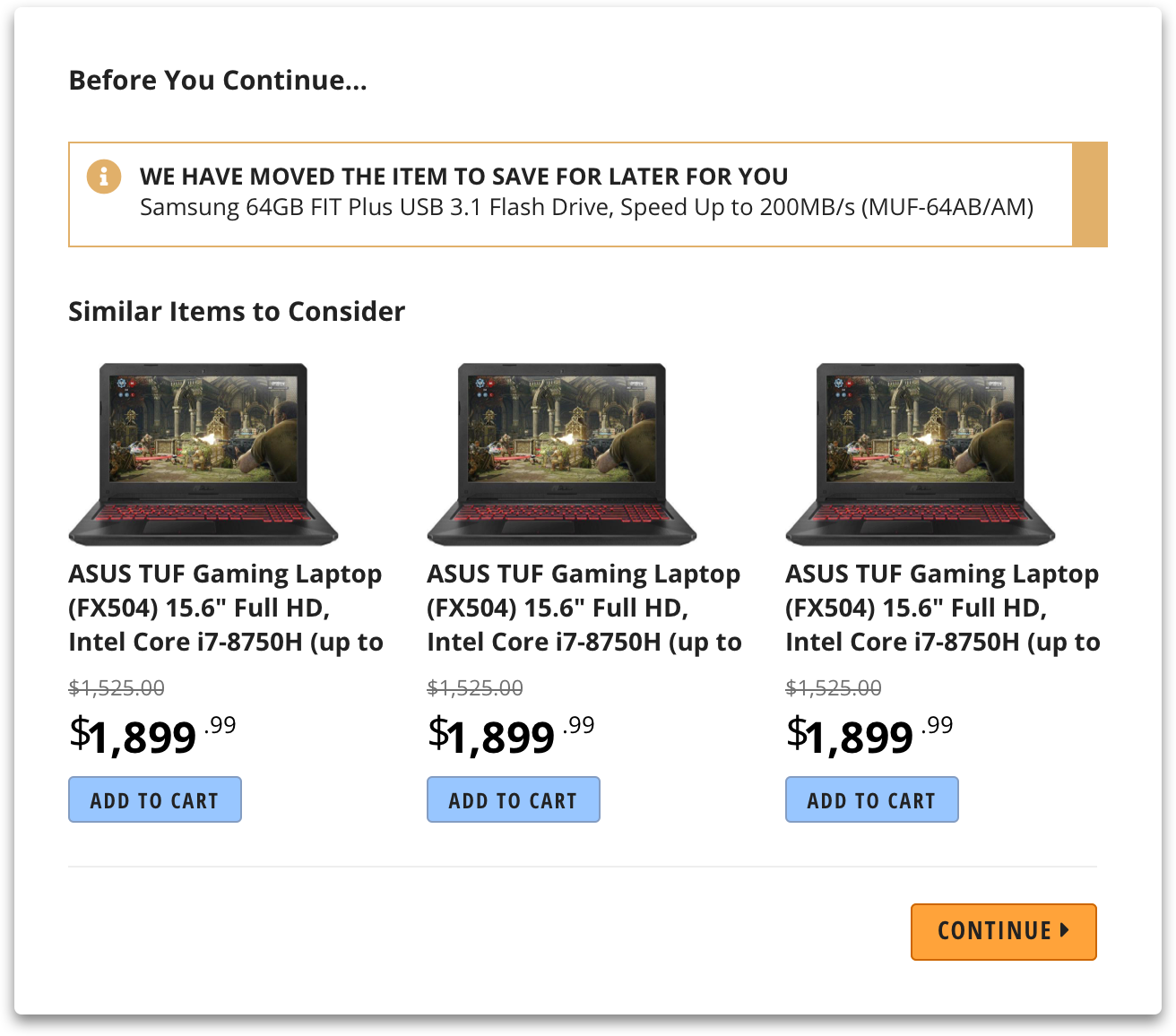
Product Unavailable Step 2
Once you chose to save it for later, the Step 2 popup window will show you some similar items to consider.
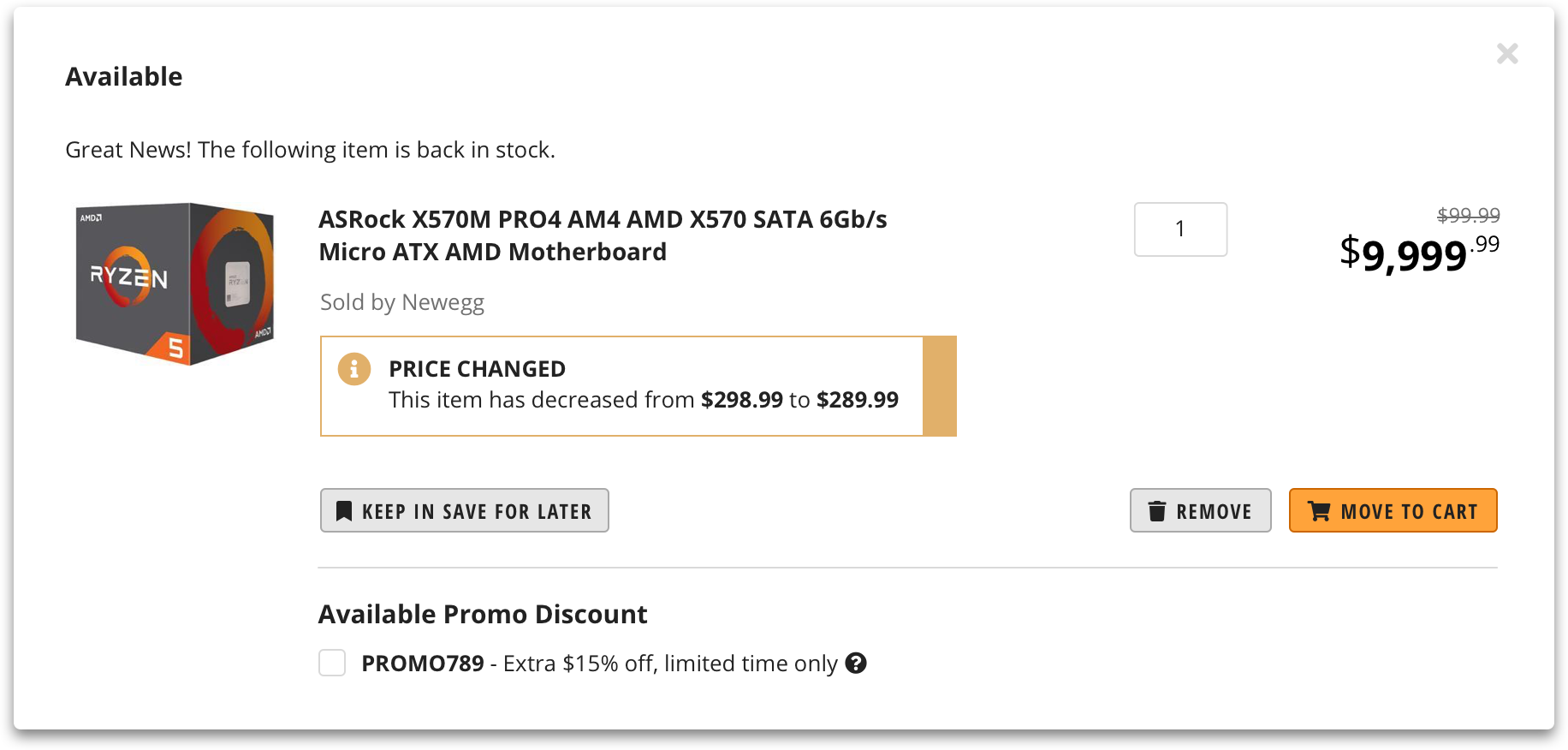
Product Available
This popup window notifies customers when the item that was unavailable and moved to their Save for Later section is back in stock. Customers can move it to the cart, still keep it in the save for later section, or remove it.